Mobile Proxy IP Reputation: What It Means and How to Check It
IP reputation is not one score but a set of signals from vendors, blocklists and the websites you visit. This guide explains how those signals differ, why a shared carrier IP carries other users’ history, what rotation and dedicated ports can and cannot change, and how to check a proxy’s exit IP with Python.

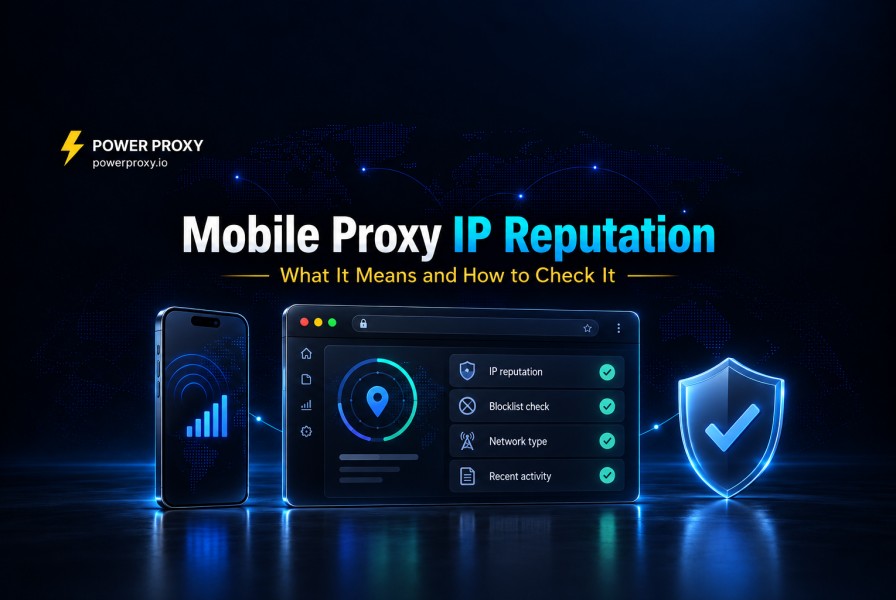
IP reputation is an assessment of an address based on signals such as network type, anonymizer flags, abuse reports and activity seen by a website. It can influence whether a request succeeds, receives a challenge or is rate limited.
Mobile carrier IPs tend to be assessed differently from data center IPs, but no IP is trusted by default. A carrier IP has a history too, and because carriers share public IPs between many subscribers, that history is shared as well.
This guide explains how the main signals differ, what shared carrier addressing means for reputation, and how to check an exit IP without treating one score as a guarantee.
What IP Reputation Means
There is no single reputation score
IP reputation is not one universal number. Every IP intelligence vendor and every large platform builds its own assessment from its own data. Three commonly used services show how different the scales are:
| Source | Score | How the vendor describes it |
|---|---|---|
| MaxMind minFraud | IP risk (ip_address.risk), 0.01 to 99 |
"A higher score indicates a higher risk" |
| IPQualityScore | Fraud score, 0 to 100 | Scores of 75 or more are "suspicious, but not necessarily fraudulent"; flagging or blocking is recommended from 90 |
| AbuseIPDB | Abuse confidence, as a percentage | "How abusive the IP is based on the users that reported it" |
The same IP can therefore look acceptable in one database and suspicious in another, depending on what each vendor has observed.
Vendors publish signals, not formulas
Vendors publish signals and reason codes, but not their complete scoring formulas. MaxMind can identify an anonymous network or suspicious activity observed across minFraud customers, for example. Those explanations help interpret a result without revealing the full weighting behind it.
Platforms keep their own records
Websites can also evaluate an IP based on activity observed directly on their own services, independently of third-party reputation databases. That can include how many requests the IP sends, how often it triggers challenges, and which accounts use it.
Reputation changes over time
Reputation can change as reports age, blocklist entries expire and new activity appears. Each service uses its own observation window. A result is a snapshot of that database’s evidence at the time of the lookup, not a permanent label.
The Signals Behind IP Reputation
Most reputation assessments draw on the same families of signals:
| Signal | Example source | What it tells a website |
|---|---|---|
| Network and connection type | IPQS connection_type, AbuseIPDB usageType |
Whether the IP belongs to a mobile, residential, business, or data center network |
| Anonymizer flags | MaxMind Anonymous IP, IPinfo privacy detection | Whether the IP has been seen as a proxy, VPN, Tor exit, relay, or hosting address |
| Abuse reports and recent activity | AbuseIPDB reports, IPQS recent_abuse and abuse_velocity, MaxMind reason codes |
Whether the IP has recently been linked to abuse, fraud, or unusual volume |
| Blocklists | Spamhaus XBL and PBL | Whether the IP shows signs of compromise, or is an end-user range that should not send email directly |
| The platform's own history | Internal logs and rate limiters | How this IP has behaved on this specific site before |
Network and connection type
IPQualityScore and AbuseIPDB distinguish mobile networks from fixed-line ISPs and hosting providers. A mobile proxy may appear as Mobile ISP when the database identifies the carrier correctly. Check the reported network rather than assuming it is current or accurate. Mobile Proxies vs Datacenter Proxies explains how the network types differ.
Anonymizer and proxy flags
MaxMind and IPinfo return flags for suspected anonymizers, including proxies, VPNs and residential proxy networks. A carrier or consumer address can therefore have both an ordinary ISP classification and a proxy flag. The network category alone does not determine its reputation.
Abuse reports and recent activity
AbuseIPDB scores reports submitted by its users. IPQualityScore returns recent_abuse and abuse_velocity fields describing activity observed across its network, while MaxMind provides reason codes for suspicious patterns. These are different datasets; they are not interchangeable measurements of the same event.
Blocklists
Spamhaus XBL concerns addresses showing signs of compromise. Its PBL is different: it identifies end-user ranges that should not send email directly to recipients’ mail servers. A PBL listing therefore describes an email policy and does not, by itself, establish abuse or predict whether a website will accept a browser request.
The platform's own history
Finally, each website remembers how an IP has behaved on its own service. An address that recently sent bursts of requests, failed logins, or triggered challenges may be treated more cautiously for a while, regardless of what external databases say.
How Reputation Works on a Shared Carrier IP
Reputation is collective under CGNAT
Carrier-Grade NAT allows many subscribers to share a public IPv4 address. Cloudflare’s research describes how hundreds or thousands of clients can appear behind one address. An assessment based on that address can therefore include activity from people who have never used your proxy service.
This creates collateral effects: an IP-based block or rate limit may affect other users behind the same address. Some security systems account for this network context, but it does not make carrier IPs immune to blocks. What Is CGNAT? explains the mechanism.
Shared history cuts both ways
A carrier IP can carry reports or rate limits unrelated to your traffic. Check the actual address and the response of your target service rather than assuming that a carrier label means a clean history.
Rotation brings a new history
PowerProxy can reconnect the mobile connection manually, on a schedule or through its API. The carrier may assign a different public IP, which has its own history; a reconnect may also return the same address. For independent tasks, rotating and checking again may help. For an active login, weigh the disruption before changing the connection.
Dedicated ports and shared pools
A PowerProxy dedicated port reserves a modem and SIM for your connection, so other proxy customers do not use that same device. Carrier CGNAT can still share the public IP with ordinary subscribers or other connections. A shared pool adds other proxy customers’ activity to the possible history. Dedicated hardware gives you connection control, not ownership of the public IP’s reputation. See Shared vs Dedicated Mobile Proxies for the operational comparison.
How to Check Proxy IP Reputation
Manual lookups
For a quick check, look up the proxy's current exit IP in a few public tools:
Use more than one source. Each vendor sees different traffic, so one database can show an IP as clean while another has reports for it.
Automate the check with Python
The example below checks the current IPv4 exit through ipify, then looks up that address in AbuseIPDB. You need Python, an AbuseIPDB API key and the requests package. Install the package with python -m pip install requests, save the script as check_proxy_reputation.py, then run python check_proxy_reputation.py.
Enter a proxy URL in the form http://user:password@host:port. Use your actual credentials and URL-encode reserved characters in the username or password. The prompts hide both inputs and keep them out of the saved script.
import getpass
import ipaddress
import json
import requests

proxy_url = getpass.getpass("Proxy URL with credentials: ").strip()
api_key = getpass.getpass("AbuseIPDB API key: ").strip()
if not proxy_url or not api_key:
    raise SystemExit("Both values are required.")

def checked_json(response):
    if response.status_code == 429:
        raise RuntimeError("API rate limit reached; retry later.")
    response.raise_for_status()
    return response.json()

try:
    with requests.Session() as proxy_session:
        proxy_session.trust_env = False
        proxy_session.proxies = {
            "http": proxy_url, "https": proxy_url
        }
        response = proxy_session.get(
            "https://api.ipify.org", params={"format": "json"},
            timeout=15
        )
        exit_ip = str(ipaddress.ip_address(checked_json(response)["ip"]))

    with requests.Session() as lookup_session:
        lookup_session.trust_env = False
        response = lookup_session.get(
            "https://api.abuseipdb.com/api/v2/check",
            headers={"Key": api_key, "Accept": "application/json"},
            params={"ipAddress": exit_ip, "maxAgeInDays": 90},
            timeout=15
        )
        data = checked_json(response)["data"]

    fields = ("ipAddress", "abuseConfidenceScore", "usageType",
              "isp", "totalReports", "lastReportedAt")
    print(json.dumps({key: data.get(key) for key in fields}, indent=2))
except (requests.RequestException, ValueError, KeyError, RuntimeError):
    raise SystemExit(
        "Lookup failed. Check credentials, connectivity and API limits."
    )
The first session explicitly uses your proxy. The second sets trust_env=False and has no proxy configured, so Requests does not inherit HTTP_PROXY, HTTPS_PROXY or ALL_PROXY for the AbuseIPDB lookup. This controls application-level proxy routing; an operating-system VPN or other network routing can still carry the traffic. HTTPS remains enabled for both requests. See the Requests proxy documentation.
Illustrative output only, using a documentation IP address rather than a live lookup:
{"ipAddress": "192.0.2.10", "abuseConfidenceScore": 0,
 "usageType": "Mobile ISP", "isp": "Example carrier",
 "totalReports": 0, "lastReportedAt": null}
This example checks the IPv4 path. An IPv6-capable connection may use a different exit address and needs a separate check. Run lookups within your AbuseIPDB plan limits; the result applies to the observed IP, not every future request through a rotating connection.
Reading the results
What You Can Control
You cannot control all activity behind a shared carrier IP. You can control the traffic you send and how you respond to failures:
What you cannot control
You cannot choose a carrier’s scoring treatment, remove other subscribers’ activity or guarantee which IP follows a reconnect. Record what changed, monitor the workflow and investigate repeated failures rather than rotating automatically after every low-quality signal.
Platform terms of service still apply. A good IP reputation helps legitimate traffic avoid unnecessary friction. It does not authorize activity that a platform prohibits.
FAQ
What is a good IP reputation score?
There is no universal score. IPQualityScore describes 75 or more as suspicious and recommends considering flagging or blocking at 90 or more, while noting that thresholds can vary. Lower MaxMind IP risk or AbuseIPDB confidence scores indicate less risk within those respective datasets, not guaranteed acceptance everywhere.
Do mobile IPs have better reputation than datacenter IPs?
Not automatically. Mobile IPs are classified as a different network type, and because many subscribers share each carrier IP, blocking one has a higher cost for a website. But every IP still has its own history, and a shared carrier IP also carries the activity of its other users. Mobile Proxies vs Datacenter Proxies covers the differences in detail.
Can a mobile proxy IP be blacklisted?
Yes. A carrier IP can collect abuse reports, appear in anonymizer databases, be listed on a blocklist such as the Spamhaus XBL if it shows signs of compromise, or be blocked by an individual website. A Spamhaus PBL listing is different: it reflects email policy for end-user ranges, not abuse.
Does rotating a mobile proxy reset IP reputation?
No. A reconnect may move your traffic to a different IP, but that address already has its own history. It can also return the same IP. Check the actual exit address before comparing reputation results.
Dedicated 4G and 5G Mobile Proxies with Rotation Control
At PowerProxy, we provide dedicated mobile connections on real carrier SIMs, with rotation control and HTTP, HTTPS and SOCKS5 support. Use that control together with reputation checks and monitoring of your actual workflow.
No credit card required · 4.7 / 5 on Trustpilot ★★★★★ · 1,200+ businesses
Narmin Kamilsoy
Contributing author sharing insights and stories on our blog.